Screen Layouts
Home Screen
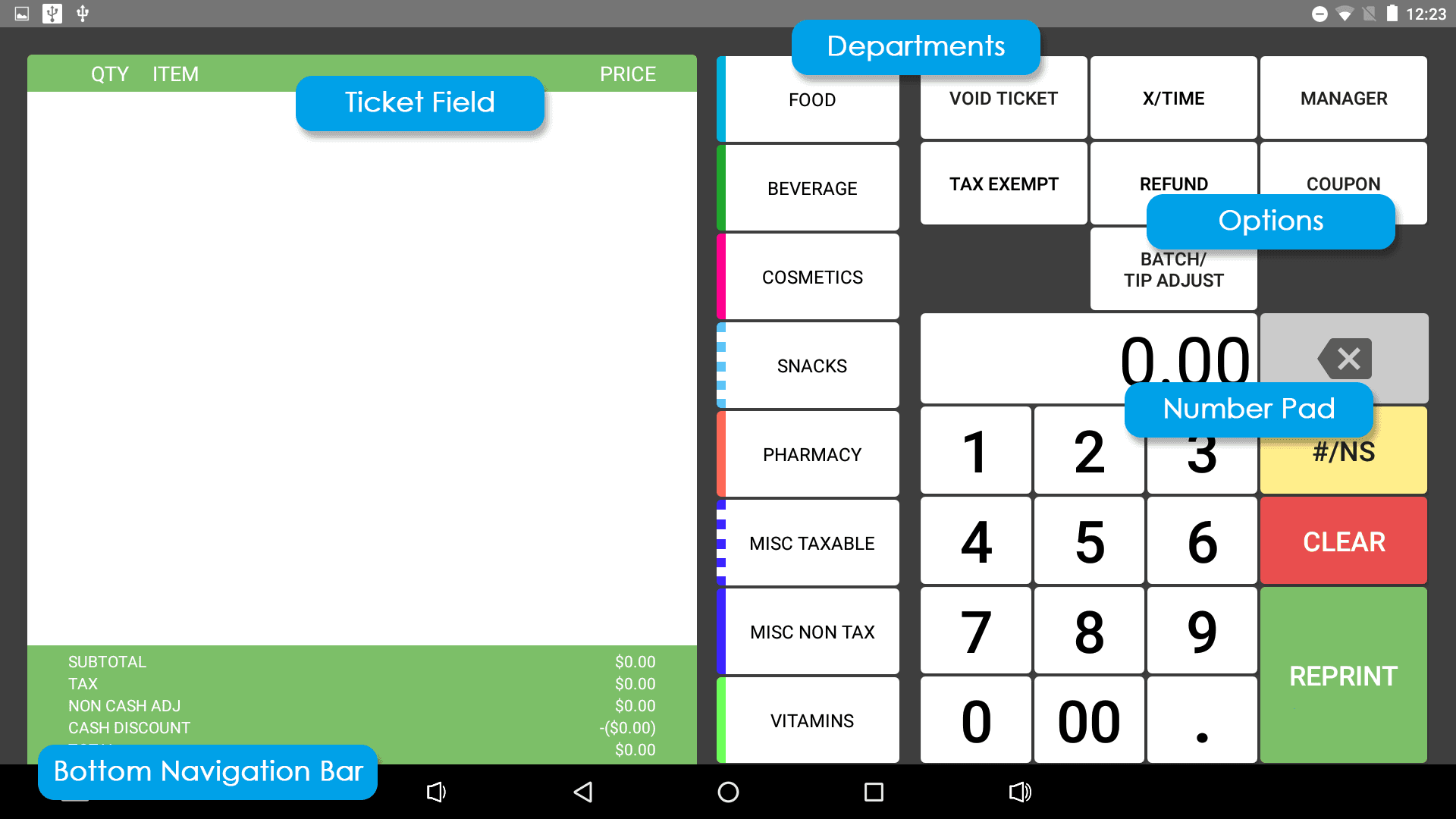
Customer Facing Display
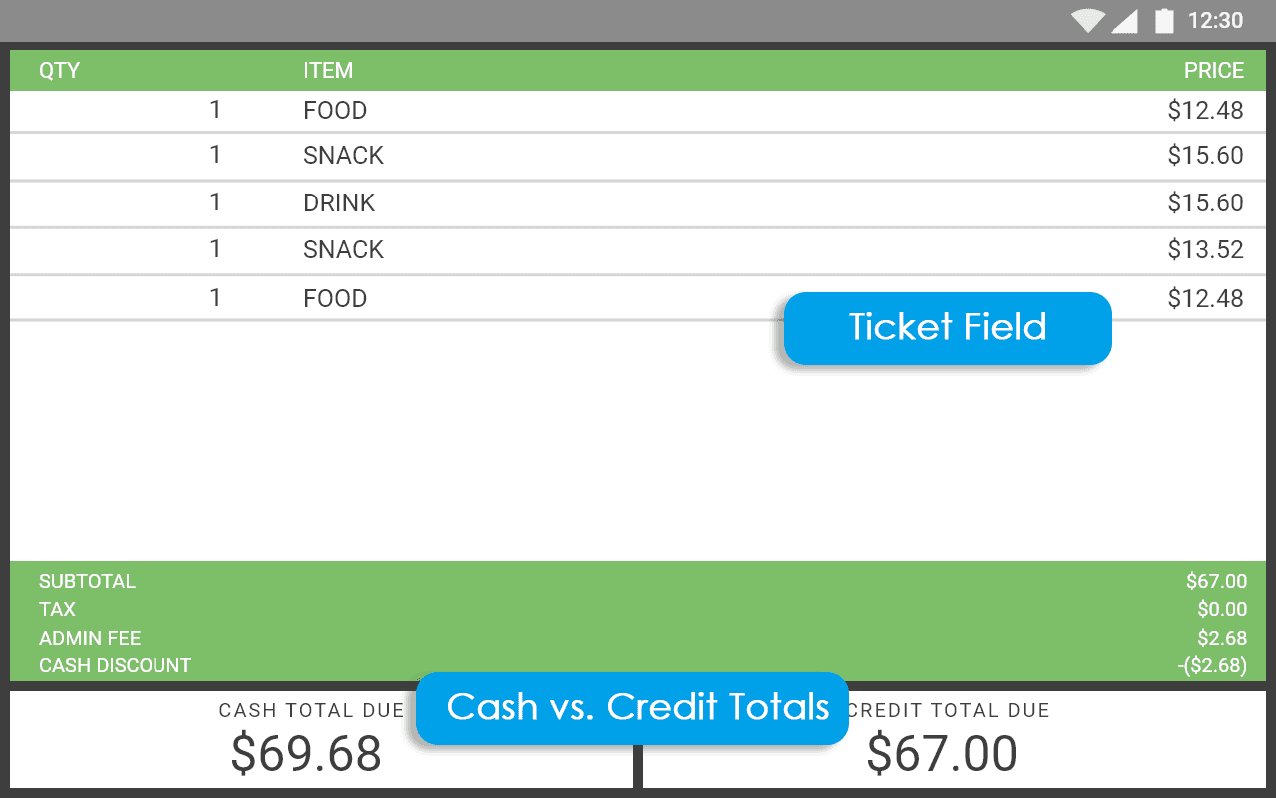
- Ticket Field - Should display the ticket currently being rang up on the home screen.
- Subtotal, Tax, Non-Cash Adj, Cash Discount - Coincides with the same totals as on the home screen.
- Credit Total Due - Displays the credit total, which is the subtotal, tax, and adjustments combined.
- Cash Total Due - Displays the cash total, which is the subtotal and taxes combined.
Ticket Field
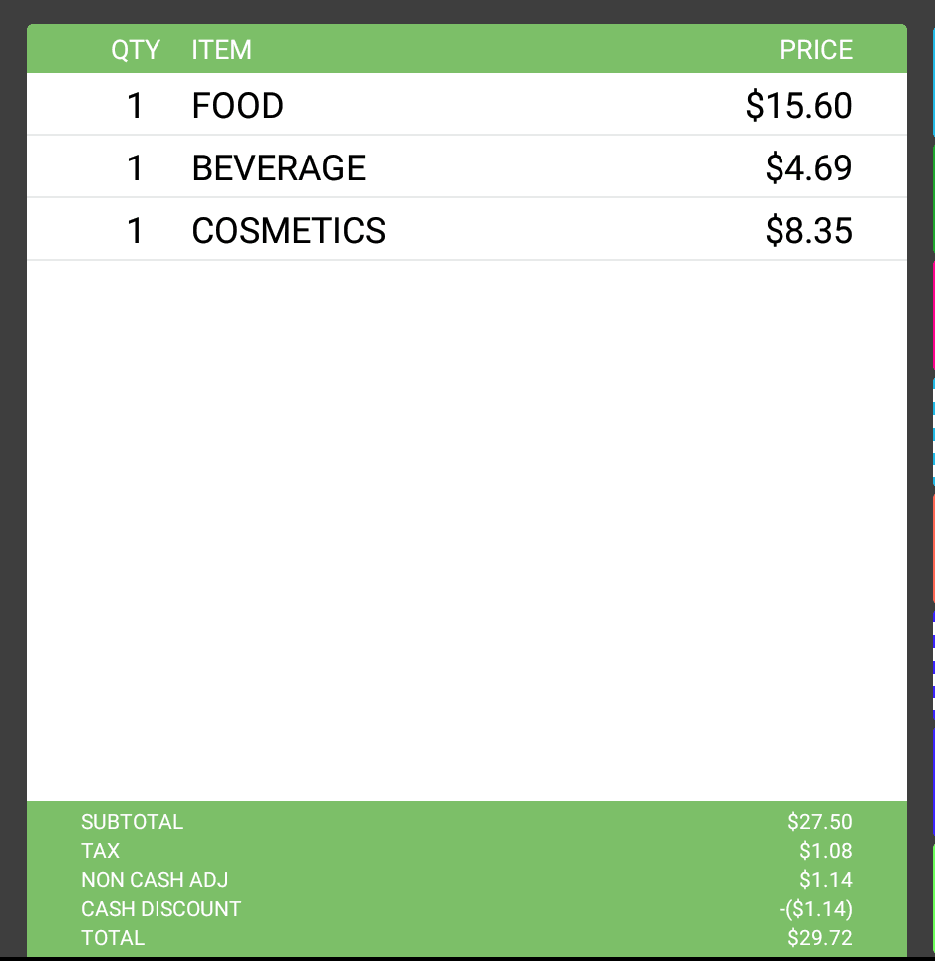
The ticket field shows items that have been rang up for the current sale, as well as their quantities on the ticket and price. At the bottom it displays Subtotal, Tax, Non-Cash Adj, Cash Discount, and Total.
- Subtotal - Ticket total before taxes or adjustments have been applied.
- Tax - Total tax, which is the tax on the subtotal and adjustments combined. On cash payments, tax will only be charged on the subtotal instead.
- Non-Cash Adj - Short for Non-Cash Adjustment, this is the amount customers will pay if they don't receive the cash discount from paying with cash.
- Total - Ticket total after taxes and adjustments have been applied to the subtotal. The pay screen will list both credit and cash price.
Departments
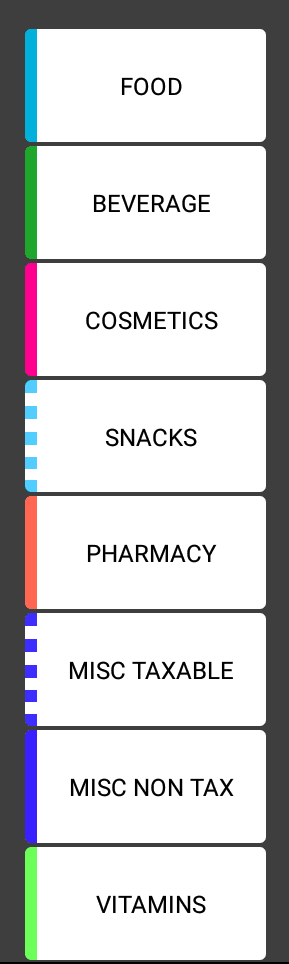
These are created / edited in Settings. When ringing up items, they are priced and labeled with one of these departments, which can have different tax settings as well as different EBT settings. The colors are editable to easily differentiate between them at a glance and the list is scrollable.
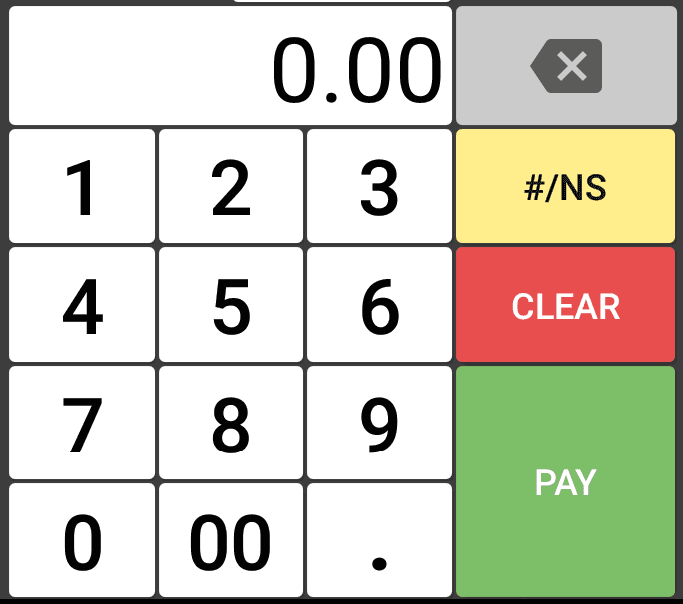
Number Pad
- Number Keys - Used to ring up items, discounts, refunds, and coupons.
- Backspace - Backspaces the most recently typed number.
- #/NS - Abbreviation for No Sale, this button opens the cash drawer without a sale.
- Pay - Once a ticket has been created, this button opens the payment functions, will change to Reprint after a ticket has been paid out. This will reprint the last ticket.
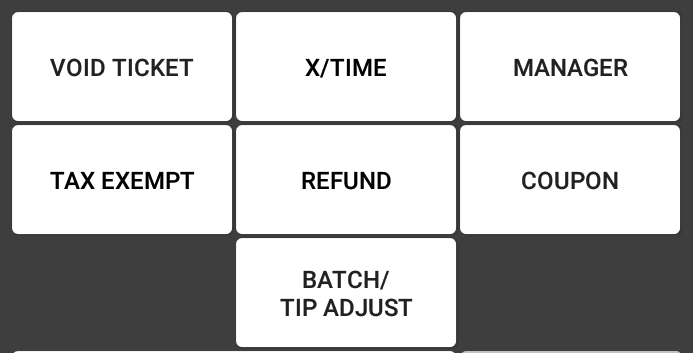
Options
- Void Ticket - Allows the user to void the current ticket on the ticket field.
- X/Time - Allows the user to type out the quantity of the item about to be rang up.
- Manager - Opens manager functions, featured in detail in the Manager Functions section.
- Tax Exempt - Allows the user to ring up an item without tax that would normally be assigned a tax rate.
- Refund - Allows the user to ring up an open refund item.
- Coupon - Allows the user to rung up a coupon on a ticket.
- Batch/Tip Adjust - Opens the Ticket Recall page, allowing the user to adjust tips on paid credit / debit tickets or to batch out paid credit / debit tickets.
Bottom Navigation Bar
- Back - Goes back one screen.
- Home - Leaves the current app and takes the user back to the E800's main home screen.
- Tabs - Opens all currently open programs / apps running on the device. These can be closed by swiping them either right or left. Tapping it again will go back to Reef Register.
- Volume Keys - These are used to turn the volume up and down and are not used with Reef Register.
